




f you want strong, reliable Wi-Fi throughout your entire home, repeaters are essential. Devolo shares tips on how to position them for the best results.
If you live in a house with multiple floors, a repeater is almost unavoidable. A single Wi-Fi router placed in the meter cupboard or living room won’t cover the entire house — or it will only provide a very weak signal in more distant rooms. Weak and fluctuating signal strength means your throughput will drop significantly, often making hi-res music and video streaming unstable or even impossible. Installing repeaters in the right places solves this problem neatly. Below, Devolo explains how it works in their own words.
How a repeater works
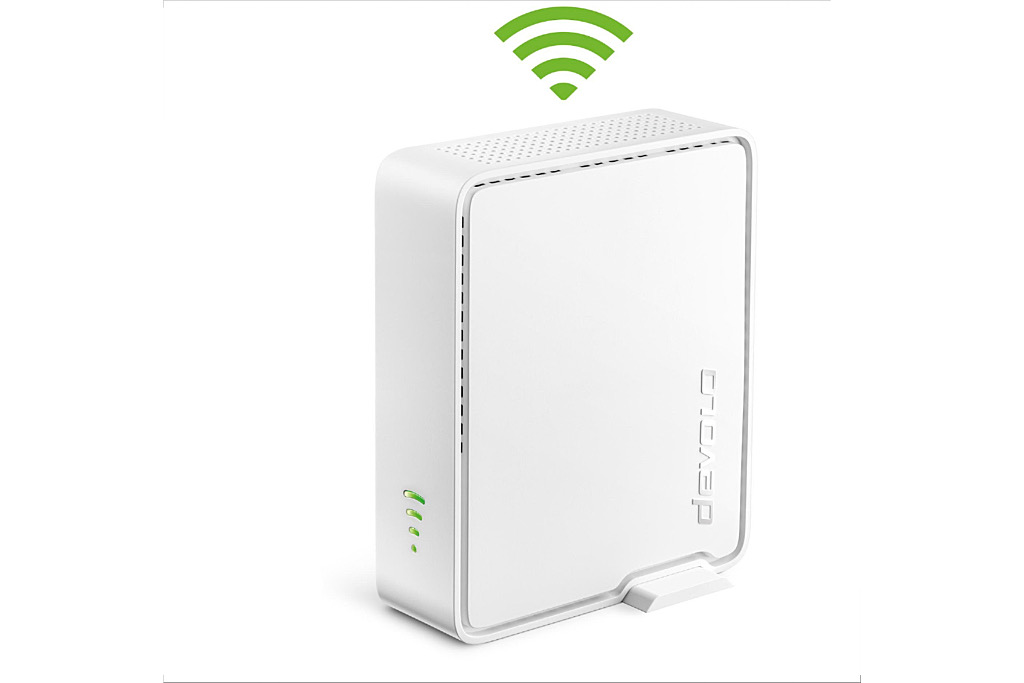
A Wi-Fi repeater is easy to understand. First, it receives the Wi-Fi signal from your router. It then retransmits that radio signal at a stronger level. That’s why repeaters are also called Wi-Fi boosters or Wi-Fi amplifiers. Their purpose is to extend the wireless range of your router. Crucial to the speed of this “Wi-Fi extension” is the quality of the connection between the router and the repeater — which depends directly on optimal placement.
Choosing the right distance
The physically closest location isn’t automatically the best. For example: imagine your home office is far from the router and therefore has poor Wi-Fi reception. It may seem logical to place the repeater in that very office. But if a repeater receives a weak signal, it can only pass on a weak signal — meaning it will barely improve anything.
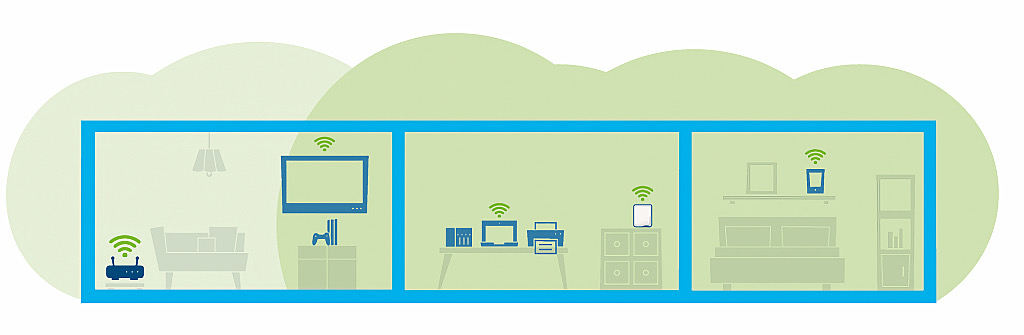
Instead, follow the rule of thumb: place the repeater roughly halfway between the router and the devices you want to serve. This ensures it receives a strong enough signal to extend. Ideally, the repeater should also be placed centrally, not tucked into a corner. Walls, ceilings, and furniture all reduce signal strength and result in weaker Wi-Fi.
Unexpected sources of interference
It’s no surprise that walls and ceilings hinder Wi-Fi, but many household items are also “natural enemies” of stable wireless connections:
- Microwaves
- Wireless peripherals
- Baby monitors
- Water-related structures (pipes, underfloor heating)
- Even vases or drying racks with wet clothes
Water is particularly effective at absorbing Wi-Fi signals — even without a large aquarium in the room.
Finding the ideal location
Because of such external factors, finding the perfect spot may take some trial and error. Try several locations and evaluate connection strength with a speed test. Modern repeaters, including those from Devolo, simplify the process: LED indicators on the device show signal strength in real time, helping you find the ideal spot quickly. Tech-savvy users can use Wi-Fi heatmap software (available for laptops) to scan the signal quality at various points and visually map dead zones on a floor plan.
The alternative for long distances
Correctly placed repeaters greatly improve Wi-Fi coverage, offering stable and faster connections. But they also have limits — especially in multi-storey homes. In such cases, Powerline technology is recommended, such as Devolo’s Magic product range. These adapters plug into power sockets and use your home’s electrical wiring as a data cable. This allows the network signal to travel between floors without being affected by ceilings, pipes, or other obstacles. At the destination point, you can connect devices via Ethernet or Wi-Fi to the Powerline adapter.
With repeaters or Powerline solutions, you can build the perfect, tailor-made home network.
About Devolo
“The German company Devolo, based in Aachen, has been developing powerful technology for smart network connectivity for 20 years. Customers receive everything they need for reliable home internet from a single source. The current product lineup includes flexible solutions for customisable home-network expansion using repeaters or Powerline adapters — all easily controlled via an app for smartphones and tablets,” the manufacturer adds.